Choosing the right SEO tools can make or break your digital strategy. With hundreds of options available, finding the tools that deliver real results is challenging. This guide highlights the top SEO tools for 2026, including AI-powered solutions, integration workflows, and actionable tutorials to help marketers, agencies, and business owners maximize their SEO performance.
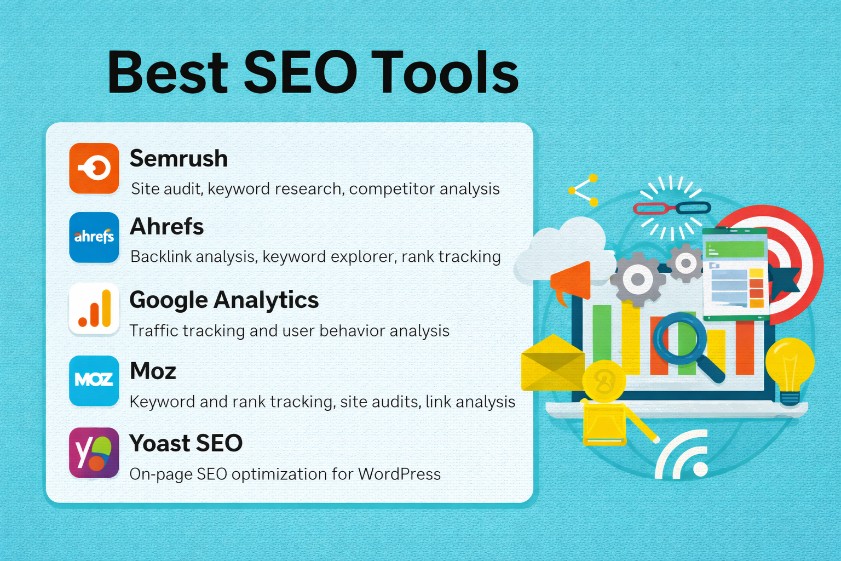
What is an SEO Tool and Why It Matters
Successful SEO relies on accurate data, consistent workflows, and clear insights. The right stack turns guesswork into measurable actions by surfacing opportunities, errors, and trends faster than manual methods ever could.
Definition of SEO tools
SEO tools are software platforms that collect, analyze, and visualize data that influences visibility in organic search. These tools crawl websites, aggregate query and click data, monitor positions, and map the competitive landscape. Search engines operate as black boxes; tools provide the windows. A typical platform ingests millions of keywords, billions of URLs, and historical rankings to show how a site currently performs and where gaps appear. The outcome involves a prioritized roadmap: fix these technical issues, target these keywords, publish this content, and earn links from these domains. Automation reduces repetitive labor while dashboards help stakeholders understand performance. For teams with limited resources, solid tools act as force multipliers by making smarter decisions faster.
Types of SEO tools
Four core categories dominate most stacks. Keyword research tools analyze demand, intent, difficulty, and SERP features to guide content strategy and metadata. Site audit tools scan URLs for technical and on-page issues such as broken links, duplicate content, slow pages, missing structured data, and crawl traps. Backlink analysis tools map a site’s link profile, identify toxic links, find competitor link sources, and quantify authority signals. Rank tracking tools monitor positions for target queries, track visibility over time, and correlate fluctuations with updates or deployments. Additional categories often round out the toolkit: content optimizers that score topical coverage, log analyzers that show how bots crawl, and reporting platforms that blend search data with analytics. A mature stack usually includes at least one tool from each primary category to cover research, execution, and measurement end-to-end.
Benefits of using SEO tools
Reliable tools deliver three major gains: efficiency, accuracy, and competitive insight. Efficiency comes from automated crawling, scheduled reporting, and bulk data exports that replace manual checks. Accuracy improves when large keyword datasets, robust crawlers, and verified click data inform decisions, not assumptions. Competitive insight emerges when backlink analysis, SERP feature tracking, and content gap reports reveal where rivals hold advantages. Teams execute faster, spot issues earlier, and plan campaigns with confidence. The best SEO tools also reduce cross-team friction by offering shared dashboards, annotations, and API access for data alignment with product, content, and analytics. Over time, this leads to compounding gains: better targeting through refined keyword research, fewer technical failures due to consistent site audit routines, and stronger authority driven by smarter link acquisition.
Top SEO Tools for 2026 (Free and Paid) with Features and Pricing
Tool selection depends on goals, scale, and budget. The following breakdown groups leading options by category and highlights features, pros and cons, and common pricing tiers to help match tools to specific needs.
Keyword Research Tools
Comprehensive keyword research underpins every content plan, product page, and optimization sprint. Strong tools uncover search demand, intent, questions, and SERP features while estimating difficulty and clicks.
Google Keyword Planner (Free)
● Features: Search volume ranges, related terms, and forecast data.
● Pros: Free, reliable trend data, direct Google source.
● Cons: Broad volume ranges; requires ads account; limited competitive detail.
● Best for: Entry-level research and PPC-aligned planning.
Ahrefs Keywords Explorer (Paid)
● Features: Massive keyword database, click metrics, difficulty score, SERP overview.
● Pros: Deep coverage, strong clickstream-based metrics, excellent SERP analysis.
● Cons: Higher price point for small teams.
● Pricing: Typically from ~$99–$199/month; usage tiers scale with seats and credits.
● Best for: Advanced research, international SEO, competitor-driven expansion.
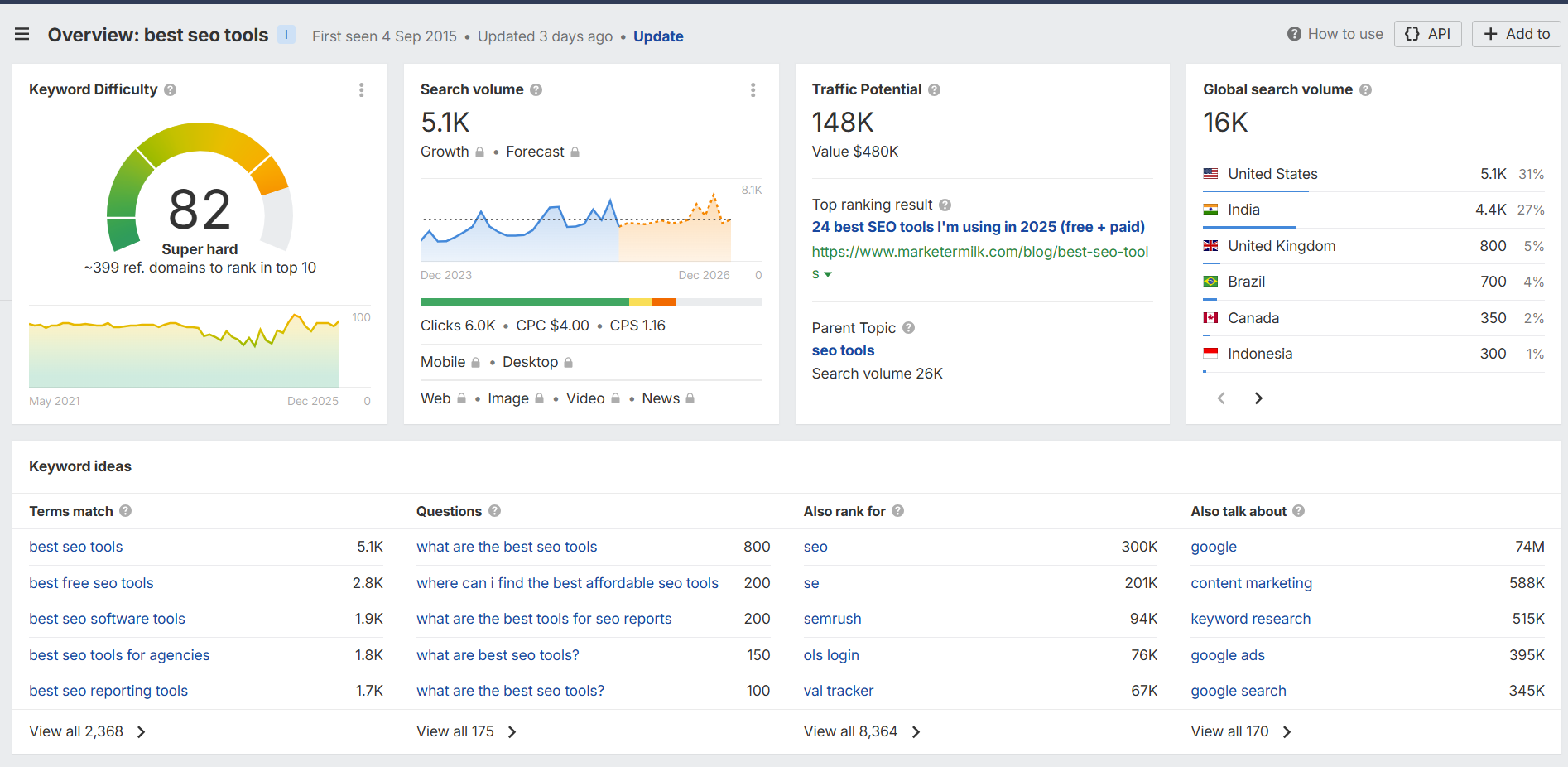
Semrush Keyword Magic Tool (Paid)
● Features: Extensive keyword clusters, intent labels, questions, and topic groups.
● Pros: Superb clustering and related queries; integrated with content and rank tracking.
● Cons: Some volume discrepancies vs. other providers.
● Pricing: Often from ~$129–$249/month, depending on limits and add-ons.
● Best for: Full-funnel research tied to content briefs and PPC alignment.
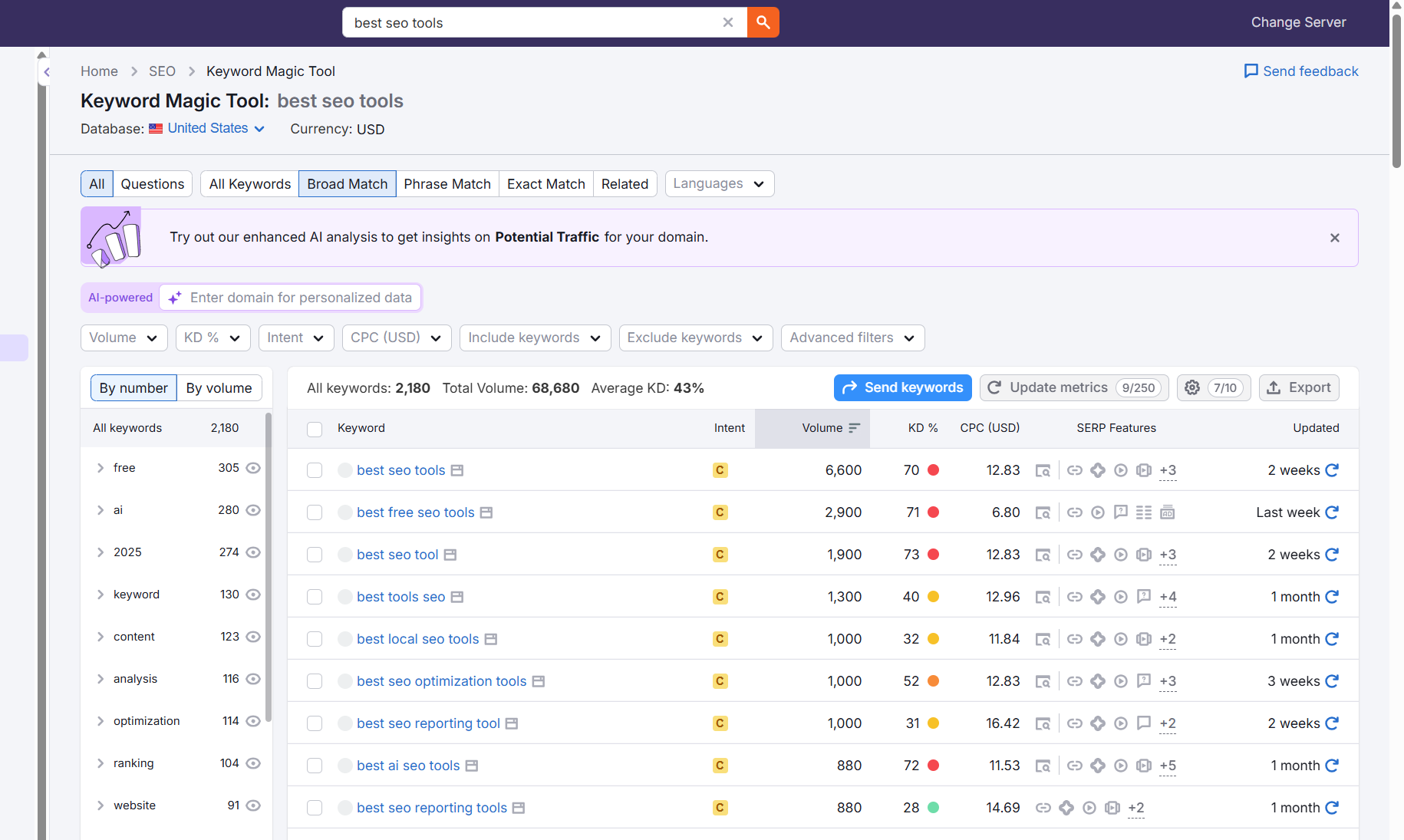
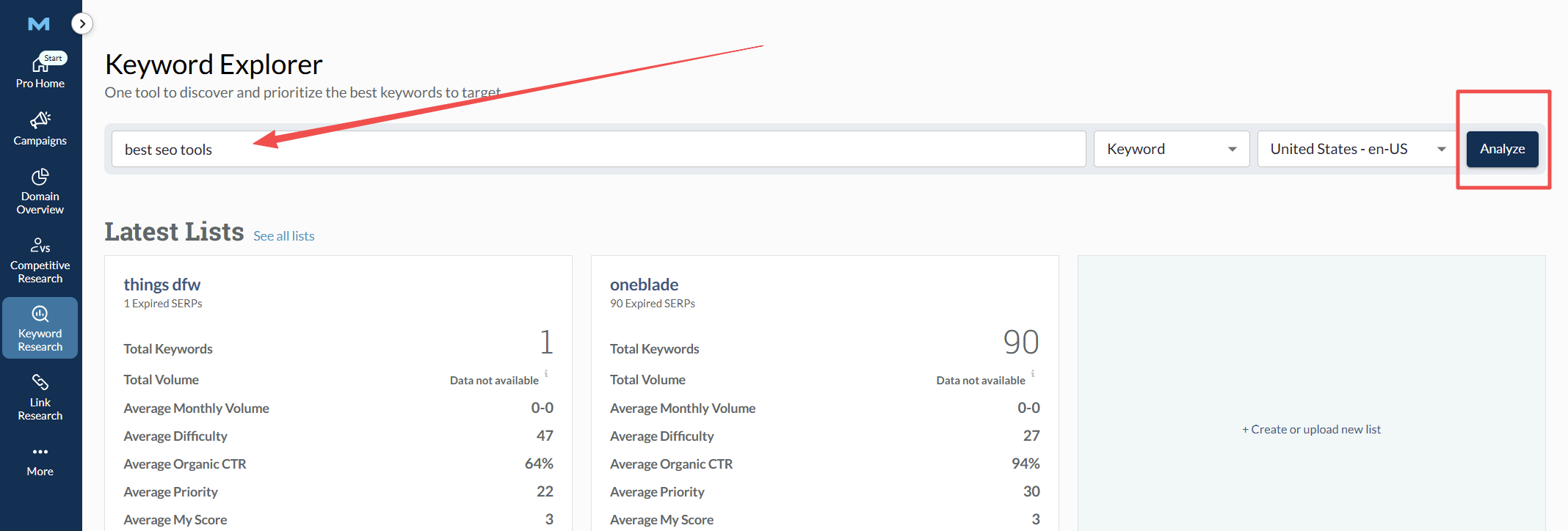
Moz Keyword Explorer (Paid/Freemium)
● Features: Priority score, difficulty, SERP analysis, suggestions.
● Pros: Intuitive scoring for prioritization; clean UI.
● Cons: Smaller dataset vs. Ahrefs/Semrush.
● Pricing: Plans often start around ~$99/month; limited free queries available.
● Best for: SMBs and content teams wanting simple prioritization.
AnswerThePublic / AlsoAsked (Freemium/Paid)
● Features: Questions, prepositions, People Also Ask mapping.
● Pros: Excellent for ideation and content outlines; surfaces long-tail intent.
● Cons: Limited difficulty and volume depth; best used alongside another tool.
● Pricing: Low-cost monthly plans; free limited searches.
● Best for: Content marketers seeking question-driven topics.
KeywordTool.io / Ubersuggest (Freemium/Paid)
● Features: Autocomplete expansions, CPC, competition metrics.
● Pros: Quick long-tail discovery, accessible pricing.
● Cons: Data precision varies; limited SERP detail.
● Pricing: From low-cost monthly to lifetime deals.
● Best for: Budget-conscious teams needing long-tail ideas.
Recommendations by need:
● Enterprise and international coverage: Ahrefs, Semrush.
● SMB and editorial workflows: Moz, Ubersuggest, AnswerThePublic.
● Free baseline: Google Keyword Planner plus Google Trends for seasonality.
Site Audit & Technical SEO Tools
Technical foundations affect crawlability, indexation, and performance. A consistent site audit routine prevents silent traffic losses and flags issues before they escalate.
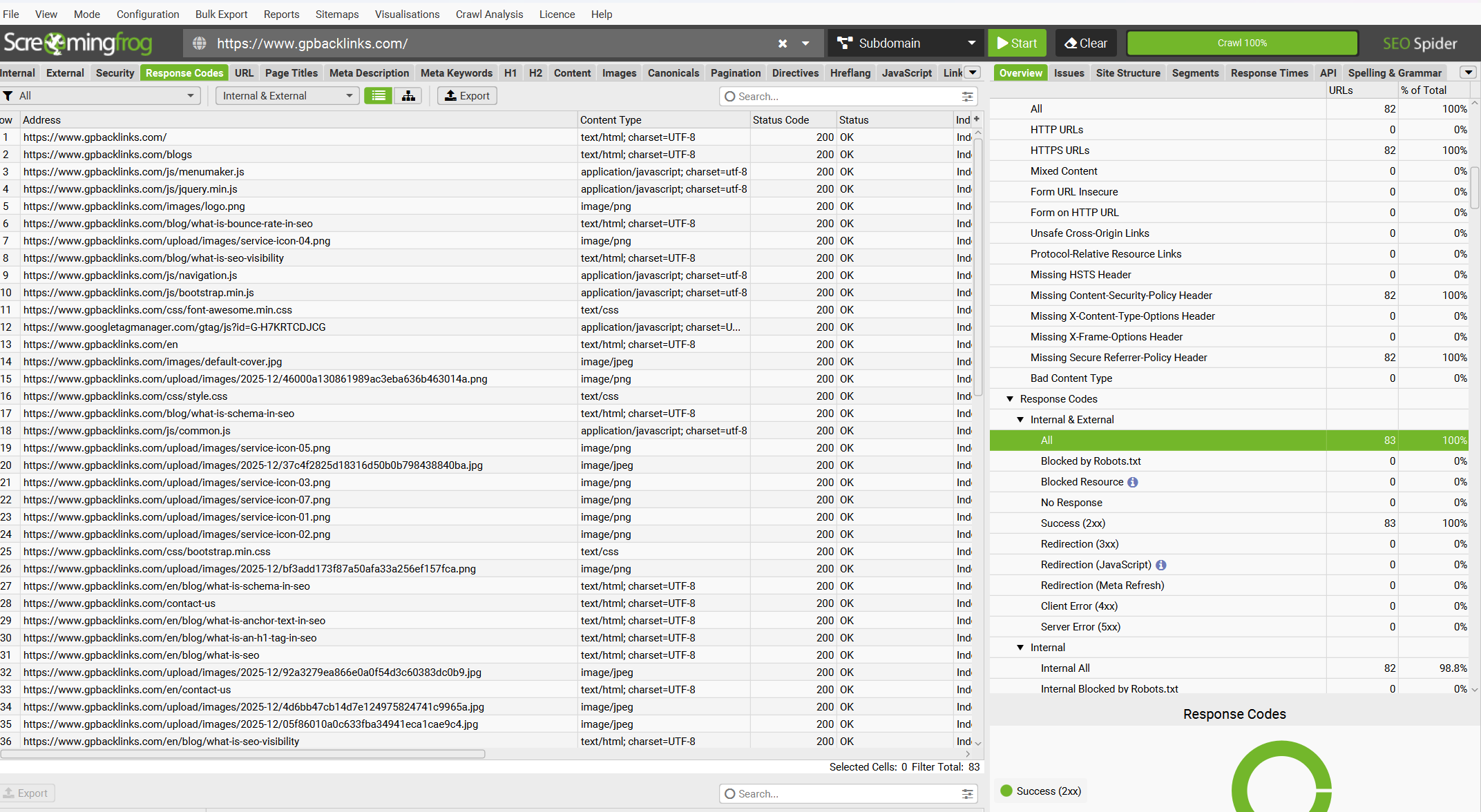
Screaming Frog SEO Spider (Paid/Freemium)
● Features: Desktop crawler, custom extraction, rendering, and log file analysis.
● Pros: Power-user flexibility, one-time license cost, fast crawls.
● Cons: Desktop-based management can strain local machines; steep learning curve for advanced use.
● Pricing: Around ~$259/year per license.
● Best for: Technical SEOs needing deep, customizable crawls.
Sitebulb (Paid)
● Features: Visual crawl graphs, auditing hints, JavaScript rendering.
● Pros: Clear explanations; powerful reports for stakeholders.
● Cons: Desktop app; requires thoughtful configuration for huge sites.
● Pricing: Around ~$15–$35/month per user.
● Best for: Agencies and consultants who present audit insights to clients.
Semrush Site Audit (Paid)
● Features: Cloud crawls, issue tracking, Core Web Vitals checks, and scheduling.
● Pros: Easy setup; integrated with wider platform features.
● Cons: Crawl limits on lower tiers.
● Pricing: Bundled with Semrush plans; from ~$129/month.
● Best for: Teams wanting automated scheduling and unified reports.
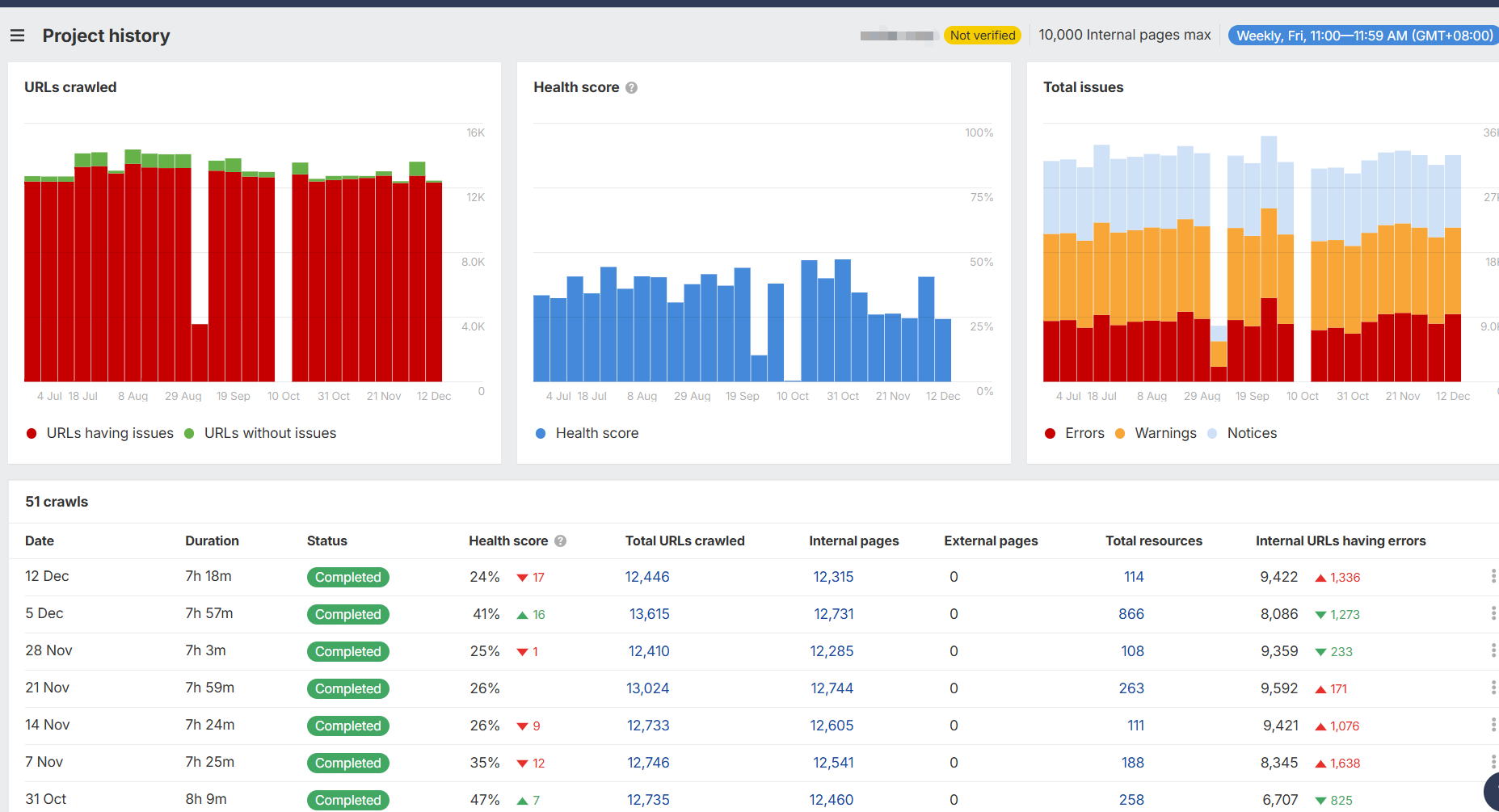
Ahrefs Site Audit (Paid)
● Features: Cloud-based crawling, issue categorization, and health score.
● Pros: Straightforward UX; tight link with Ahrefs backlink and keyword data.
● Cons: Limits depend on plan; fewer visualizations than Sitebulb.
● Pricing: Part of Ahrefs subscription; from ~$99/month.
● Best for: Users already invested in Ahrefs’ ecosystem.
Lumar (Deepcrawl), JetOctopus (Paid)
● Features: Scalable cloud crawls, automation, log analysis, and enterprise integrations.
● Pros: Suited for very large sites; powerful segmentation.
● Cons: Higher cost; onboarding effort.
● Pricing: Custom/enterprise.
● Best for: Enterprise and complex architectures.
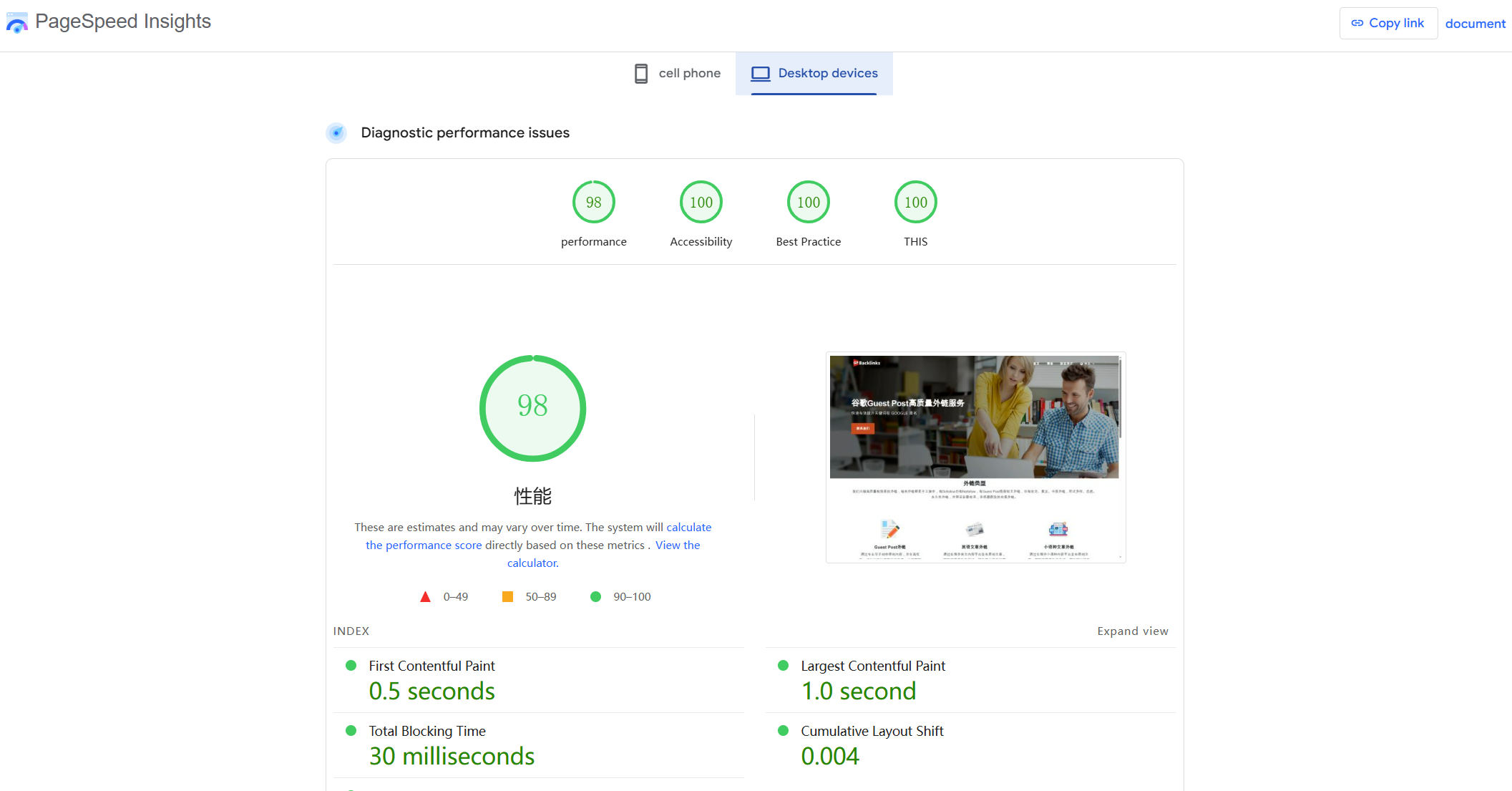
Google Search Console, PageSpeed Insights, Lighthouse (Free)
● Features: Index coverage, performance audits, CWV diagnostics.
● Pros: Official signals and diagnostics; zero cost.
● Cons: Limited crawl scope; requires complementary tools.
● Best for: Baseline monitoring and performance validation.
Recommendations by need:
● Solo/SMB technical audits: Screaming Frog or Sitebulb plus GSC and Lighthouse.
● Automated cloud monitoring: Semrush or Ahrefs Site Audit.
● Enterprise and massive sites: Lumar or JetOctopus with log analysis.
Backlink Analysis Tools
Authority and trust often hinge on a strong, clean link profile. Backlink analysis tools help evaluate quality, identify outreach targets, and monitor risk.
Ahrefs (Paid)
● Features: Large backlink index, referring domain metrics, broken link discovery, link intersect.
● Pros: Fast updates, deep competitive insights, and anchor text distribution.
● Cons: Premium price.
● Pricing: From ~$99/month; higher tiers for more rows and seats.
● Best for: Comprehensive backlink monitoring and prospecting.
Majestic (Paid)
● Features: Trust Flow/Citation Flow, topical link categories, link graphs.
● Pros: Unique trust metrics and visualization.
● Cons: UI less modern; learning curve around TF/CF.
● Pricing: From ~$49–$99/month.
● Best for: Quality evaluation and topical authority mapping.
Semrush Backlink Analytics (Paid)
● Features: Backlink audits, toxic score, outreach integration.
● Pros: Integrated disavow, list management, CRM-style workflows.
● Cons: Index depth debated vs. Ahrefs in some regions.
● Pricing: Included in Semrush subscriptions.
● Best for: Teams who want link auditing and outreach in one place.
Moz Link Explorer (Paid/Freemium)
● Features: Domain Authority/Page Authority, link tracking, spam score.
● Pros: Clear authority metrics; easy snapshots.
● Cons: Smaller index; slower updates in some cases.
● Pricing: Part of Moz Pro from ~$99/month; limited free checks.
● Best for: Quick authority assessments and simple monitoring.
Monitor Backlinks, Linkody (Paid)
● Features: Alerts, disavow management, competitor tracking.
● Pros: Simple link health monitoring; budget-friendly.
● Cons: Less discovery; more about status tracking.
● Pricing: Low to mid-tier monthly.
● Best for: SMBs focused on maintaining link quality.
Google Search Console Links Report (Free)
● Features: Top linking sites and pages.
● Pros: Direct Google data; useful for validation.
● Cons: Limited depth; not a full discovery tool.
● Best for: Cross-checking and stakeholder reporting.
Recommendations by need:
● Prospecting and competitor research: Ahrefs or Semrush.
● Quality scoring and topical context: Majestic.
● Budget monitoring: Linkody or Monitor Backlinks plus GSC.
Rank Tracking Tools
Reliable rank tracking uncovers visibility shifts, measures campaign impact, and ties positions to traffic and revenue.
AccuRanker (Paid)
● Features: Fast updates, on-demand refresh, powerful segmentation.
● Pros: Speed and data accuracy; strong reporting.
● Cons: Costs scale with keyword volume.
● Pricing: From ~$129/month with tiered keyword limits.
● Best for: Agencies and brands needing granular, frequent checks.
STAT Search Analytics (Paid/Enterprise)
● Features: Large-scale SERP tracking, daily snapshots, SERP features data.
● Pros: Enterprise-scale datasets; excellent API.
● Cons: Enterprise pricing and complexity.
● Pricing: Custom/enterprise.
● Best for: Large brands and agencies managing huge keyword sets.
Semrush Position Tracking (Paid)
● Features: Device/location tracking, competitors, cannibalization.
● Pros: Integrated with broader Semrush suite and reporting.
● Cons: Limits at lower tiers; daily frequency standard.
● Pricing: Part of Semrush plans.
● Best for: Teams already using Semrush for research and audits.
Ahrefs Rank Tracker (Paid)
● Features: Positions by country, competitor comparisons, visibility metrics.
● Pros: Clean reports; reliable trendlines.
● Cons: Less granular SERP feature tracking than STAT.
● Pricing: Included with Ahrefs subscriptions.
● Best for: Ahrefs users needing straightforward tracking.
SE Ranking, ProRankTracker, Nightwatch, SerpWatcher (Mangools) (Paid)
● Features: Affordable rank tracking, local packs, mobile/desktop.
● Pros: Budget-friendly; useful for SMBs and niche monitoring.
● Cons: Feature depth varies; API access limited on low tiers.
● Pricing: ~$20–$70/month depending on volume.
● Best for: Smaller programs and local SEO
Recommendations by need:
● Enterprise tracking at scale: STAT or AccuRanker.
● Suite integration: Semrush or Ahrefs.
● Budget-conscious tracking: SE Ranking, SerpWatcher, Nightwatch.
AI-Powered SEO Tools You Should Know
AI now accelerates research, planning, and execution. Thoughtful adoption turns AI into an assistant that drafts, clusters, and analyzes while humans steer strategy and quality.
AI Keyword & Content Tools
AI reshapes content workflows by transforming research into outlines and drafts with tight feedback loops. ChatGPT SEO prompts can cluster keywords, generate briefs, and propose internal links. Surfer AI aligns drafts to SERP competitors, headings, and NLP terms while tracking content scores. Jasper speeds ideation and variant generation for titles, meta descriptions, and social snippets. Clearscope and MarketMuse rely on NLP to evaluate topical coverage and suggest semantic terms missing from drafts. Frase and Content Harmony help create briefs with questions, PAA, and competitor headings. The real advantage appears when human expertise guides the tools: editors set voice, verify facts, and enforce originality. Teams that mix keyword research from Semrush or Ahrefs with AI-driven briefs from Surfer, Clearscope, or MarketMuse typically publish faster, cover topics more completely, and reduce optimization cycles. Quality control remains essential to meet E-E-A-T standards while avoiding thin, repetitive content.
AI Analytics & Insights
Pattern detection at scale suits AI. GA4’s automated insights surface anomalies in traffic and conversions. SEOmonitor and similar platforms offer forecasting models, seasonality adjustments, and probability ranges for goal attainment. ChatGPT or Claude can analyze exported CSV files to summarize ranking movements, wins, and losses by intent or topic cluster. Looker Studio enriched with BigQuery and AI connectors, enables blended dashboards that flag outliers in CTR, impressions, or Core Web Vitals. Power BI and Tableau bring additional predictive modeling for cohorts and landing pages. Teams create “insight loops” by exporting rank tracking, backlink analysis, and site audit data, then prompting AI to highlight correlations such as “pages with slow LCP also lost rankings after the last update.” These insights inform sprint planning by placing technical fixes, content refreshes, and link outreach into a data-backed order of operations.
AI Workflow Automation
Automation removes toil from repetitive SEO tasks. Zapier, Make, and n8n connect rank trackers, crawlers, sheets, and Slack to push alerts and weekly digests. A workflow might export newly discovered keywords from Semrush, send them to a ChatGPT prompt for clustering, and append the output to a Google Sheet that feeds a content calendar. Another routine could pull Screaming Frog crawl diffs, summarize changes with AI, and post prioritized fixes to Jira. Internal linking gains from AI-generated suggestions that scan existing content, surface anchor recommendations, and draft link paragraphs for editorial review. Programmatic on-page updates, such as metadata experiments across large catalogs, can be templated with AI assistance and validated via QA scripts. Guardrails remain essential: human approval steps, version control, and rollback plans protect site integrity while reaping speed benefits. The best SEO tools increasingly expose APIs that make these automations reliable and maintainable.
How to Integrate Multiple SEO Tools Effectively
A smart stack works as a system, not as isolated apps. The following workflows demonstrate how to combine research, audits, analytics, and automation for compounding results.
Combining Keyword Research & Content Tools
A repeatable content engine starts with data-rich research and ends with measurable engagement. A typical process:
●Step 1: Keyword discovery. Semrush or Ahrefs provides seed terms, related queries, and difficulty. Google Search Console adds “owned” queries where impressions outpace clicks.
●Step 2: Clustering and intent mapping. A ChatGPT prompt clusters exported keywords by topic and search intent. Manual review ensures canonical targeting per cluster.
●Step 3: Brief creation. Surfer, Clearscope, or MarketMuse generates headings, questions, and semantic terms. Editors add brand voice, angles, and differentiators.
●Step 4: Drafting and optimization. Writers produce content guided by the brief. Content tools track topical coverage while GSC data informs internal link targets.
●Step 5: Publication and internal linking. A linking pass connects new pages to strong related assets; anchor text reflects intent.
●Step 6: Measurement. Rank tracking monitors target keywords; GA4 measures engagement and conversions.
Data consolidation works best in a master spreadsheet or Notion database, with fields for cluster, target URL, primary keyword, supporting terms, content score, publish date, and rank position. This framework turns keyword research into consistent briefs and predictable publishing velocity.
Using Audit Tools with Analytics Platforms
Technical and performance data must connect to outcomes. An effective site audit workflow:
●Step 1: Baseline crawl. Screaming Frog or Sitebulb runs a full crawl with JavaScript rendering enabled where needed. Custom extraction collects titles, H1s, canonical tags, schema, and CWV data.
●Step 2: Prioritization. Issue severity scores combine with potential impact metrics such as organic sessions, revenue per page, and ranking potential. A simple matrix (high impact/high severity first) sets the order.
●Step 3: Analytics integration. GA4 and GSC data join via Looker Studio or BigQuery to map traffic, CTR, and conversion metrics to each URL flagged in the audit. Pages with errors and high traffic get expedited.
●Step 4: Fix and validate. Dev tickets include reproduction steps, affected URLs, and expected outcomes. Lighthouse runs confirm performance improvements; GSC validations track coverage fixes.
●Step 5: Monitoring. Scheduled cloud crawls via Ahrefs or Semrush ensure regressions get caught early. Slack alerts notify teams of new critical issues.
This pairing transforms site audit findings into business metrics, ensuring technical work directly supports rankings and conversions rather than existing as a separate checklist.
Workflow Automation Tips
Automation brings consistency to complex stacks without sacrificing control. Practical examples:
●Rank-to-report pipeline. AccuRanker or Semrush exports daily ranks to Google Sheets. A Zapier step appends new rows, and a Looker Studio dashboard displays rolling averages and volatility bands. Anomaly detection flags sudden drops for priority clusters.
●Audit diff alerts. Screaming Frog scheduled crawls output reports to cloud storage. A Make scenario compares current vs. previous crawl, summarizes changes with ChatGPT, and posts a prioritized list to Slack with Jira links.
●Keyword clustering and brief generation. A CSV from Semrush feeds an AI prompt that clusters by intent and suggests H2/H3 outlines. Editors review and approve before writers start.
●Backlink monitoring. Ahrefs link alerts trigger Slack messages for new referring domains. A quality filter based on DR/TF and topical relevance routes high-value prospects into an outreach CRM.
●Internal linking assistant. A weekly script scans new content, identifies link opportunities to cornerstone pages, and drafts snippet suggestions for editors.
Best practices include version control for prompts and scripts, human approval gates for significant site changes, and a monthly audit of automations to retire low-value tasks. Clear naming conventions and a central SOP repository keep the system maintainable as teams grow.
Conclusion
Selecting the right combination of SEO tools significantly enhances efficiency, accuracy, and competitive insights. In 2026, AI-powered solutions and integrated workflows stand out as differentiators, enabling marketers to automate routine tasks, uncover strategic opportunities, and achieve measurable improvements in search performance.
FAQS
What are the best free SEO tools?
Strong free options include Google Search Console (index coverage, performance), Google Keyword Planner (keyword research), Google Trends (seasonality), PageSpeed Insights and Lighthouse (performance), and Bing Webmaster Tools (diagnostics). For topical ideation, AnswerThePublic and AlsoAsked offer limited free queries. These cover discovery, site audit basics, and validation without cost.
Which SEO tool is best for keyword research?
Ahrefs and Semrush lead for breadth, difficulty metrics, SERP analysis, and integrations. Ahrefs shines with click metrics and link data, while Semrush excels at clustering and content workflows. Moz Keyword Explorer provides simple prioritization for SMBs. Google Keyword Planner offers reliable trend signals for free. Selection depends on scale and required depth; among the best SEO tools for this task, Ahrefs and Semrush generally deliver the most comprehensive datasets.
How do I track SEO performance effectively?
A robust setup pairs rank tracking (AccuRanker, STAT, Semrush, or Ahrefs) with GA4 and GSC. Daily or weekly rank snapshots show visibility trends, while GA4 connects landing pages to conversions. GSC reveals query-level CTR and impression shifts. Dashboards in Looker Studio or Power BI consolidate these sources for stakeholders. Scheduled annotations for deployments and algorithm updates add context. Routine site audit checks maintain technical health to protect gains.