Every clickable word on a page is more than just a link—it's a signal for both rankings and usability. When anchor text is vague or misleading, users hesitate, assistive technologies struggle, and Google's spam systems may flag unnatural patterns. Clear, descriptive anchors build trust, improve accessibility, and strengthen topical relevance across a site. This guide offers practical direction on what anchor text is, how it works, the main types, proven best practices, and a step-by-step audit using free tools to improve both SEO and UX—turning a simple concept into a genuine strategic advantage for anyone wondering what anchor text is in SEO.
What Is Anchor Text in SEO?
Direct definition with simple examples
Anchor text is the clickable text of a hyperlink that describes the linked page. In HTML, it's the words between and that users see and click. Good link text acts like a promise, telling users and search engines what's on the other side. For instance, "learn JavaScript" pointing to a beginner tutorial signals a clear destination and intent. Compare that to "click here"—a generic anchor that forces users to guess and gives crawlers minimal context.
Consider a blog post about email marketing. "Cold email templates" linking to a template library is a descriptive anchor text; "read more" is a generic anchor. For e-commerce, "women's waterproof hiking boots" is specific. "More info" isn't. When evaluating what is anchor text in SEO, clarity and specificity consistently win for both ranking and usability.
How anchor text works: components and context
An effective link includes multiple components: the anchor text (the clickable text), the href target (the destination URL), optional rel attributes (nofollow, sponsored, ugc), and the surrounding copy that frames context. Internal links help distribute page authority and direct crawlers; external links may reinforce authority and relevance signals.
Search engines interpret anchors alongside nearby text to infer topics, entities, and relationships. A sentence like "Compare CRM tools—see the HubSpot vs. Salesforce breakdown" paired with a relevant anchor offers stronger topical cues than an isolated link. Rel attributes guide how Google treats a link: rel="nofollow" for untrusted references, rel="sponsored" for paid placements, and rel="ugc" for user-generated content. These don't change the anchor wording but do change link handling. Context matters, so place anchors near descriptive copy and avoid dense clusters that dilute meaning.
Related concepts vs. anchor text
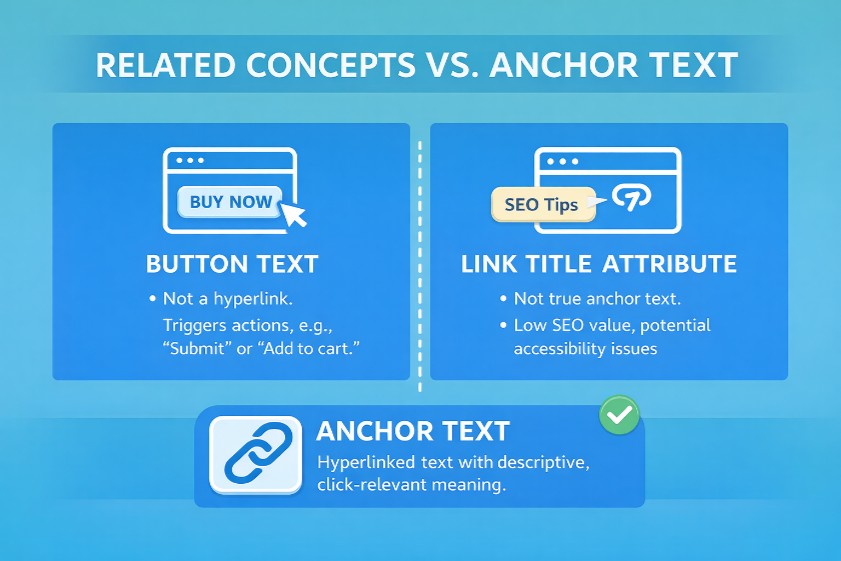
Anchor text differs from several related UI elements. Button text is typically not a hyperlink; it's a control that triggers actions like "Submit" or "Add to cart" and shouldn't be confused with link text. The link title attribute (tooltips) is rarely used for ranking and can be problematic for accessibility when overused. Navigation and breadcrumb anchors appear sitewide and provide structural cues; they help users orient but carry less page-specific context than in-body links.
Additional variations include page title anchor scenarios, where a link uses the target's title verbatim—helpful when titles are descriptive. Compound anchor text blends brand and keyword ("Spotify podcast analytics") and related anchors use semantic cousins or synonyms ("email sequences" linking to a "drip campaign" guide). These nuances underline that anchors are about meaning and prediction, not just clickable text.
Why Anchor Text Matters for Rankings and Users
Ranking relevance and crawling
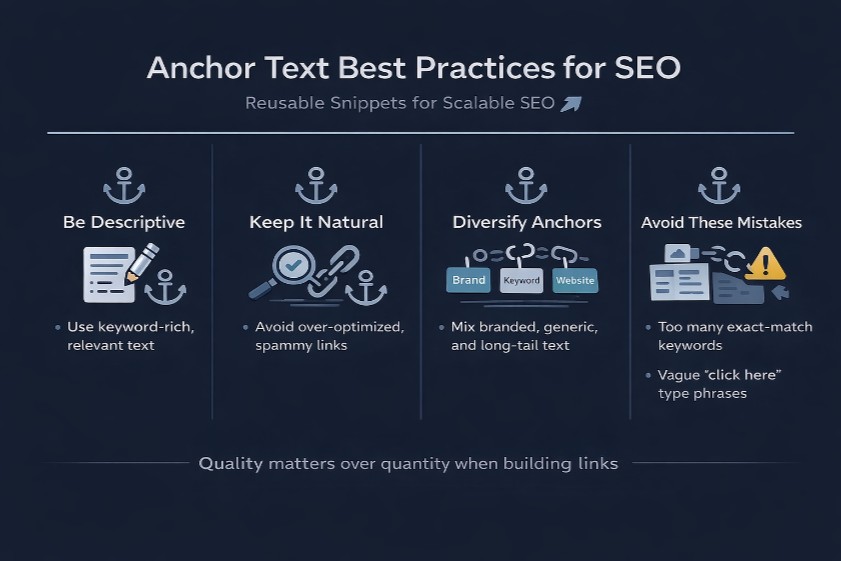
Anchors help Google infer what a destination page covers and how content clusters connect. When internal links use descriptive anchors, they signal topical relevance and distribute link equity to important pages. A hub page linking to multiple spokes with varied, partial match anchors ("keyword research frameworks," "search intent mapping") supports discovery and indexing while avoiding over-optimization.
Crawlers follow links to build a site's graph. Clear anchors improve that graph's clarity. Google's Penguin-era link spam policies targeted manipulative patterns—especially large-scale exact match anchor schemes from low-quality domains. Natural profiles mix branded anchors, partial match anchors, and related anchors. Thoughtful anchor strategies strengthen rankings by reinforcing context rather than gaming it.
UX and accessibility essentials
Users rely on anchors to predict where a link leads. Strong information scent—anchors that match destination content—boosts click confidence and engagement. WCAG guidelines require that the link purpose be clear from the anchor or its context, which helps screen readers announce links accurately. A "download pricing guide (PDF)" anchor provides meaningful purpose; "click here" does not.
Accessibility extends beyond wording. Linked images must include informative alt text; when an image is linked, its image alt text anchor becomes the anchor. Keyboard users need visible focus states, and color contrast should distinguish links from surrounding text. Clear anchors reduce friction, encourage exploration, and lower bounce rates by meeting user expectations consistently.
Mobile and design considerations
On mobile, anchors should be concise and spaced for easy tapping. Long link phrases wrap awkwardly and become hard to hit. Dense clusters of links near each other can cause mis-taps and frustrate users. Designers should maintain sufficient line height and padding so each clickable text segment feels distinct.
Shorter anchors—ideally 2–6 words—fit small screens better. Color contrast and clear underlines help recognition without relying solely on color. Avoid placing multiple links in a single sentence unless each is unmistakably different. Mobile-first layouts should keep anchors near relevant content blocks, ensuring users can scan, understand, and act quickly.
Types of Anchor Text (With Clear Examples)
Core text-based types
Core anchor categories include:
● Exact match anchor: "best running shoes" linking to a page targeting that term.
● Partial match anchor: "top shoes for runners," similar intent with varied wording.
● Branded anchor: "Nike" pointing to the brand's homepage.
● Brand + keyword (compound anchor): "Nike running shoes" blending entity and topic.
● Generic anchor: "learn more," "read more," low descriptiveness.
● Naked URL anchor: "https://example.com," purely a URL.
Context matters. In a blog, "B2B lead gen frameworks" outperforms "click here." In e-commerce, "men's trail shoes size 10" signals product specificity. For SaaS, "API documentation" beats "documentation." Page title anchor can work if titles are descriptive ("2025 Ecommerce Benchmarks"). A natural profile blends branded anchors, partial match anchors, and related anchors (synonyms and entities) rather than fixating on exact phrasing.
Non-text anchors and alt text
Non-text anchors occur when images, icons, or SVGs are linked. In those cases, the image alt text anchor acts as the anchor. Write alt that describes the link's destination or purpose, not just the image content. "Compare pricing plans" is meaningful; "graph image" is not. Avoid keyword stuffing—alt should be informative and concise.
Linked logos typically use branded alt ("Acme Analytics homepage"). Download icons can include intent: "Download case study (PDF, 2 MB)." Ensure linked images have focusable states and accessible names so screen readers announce useful link text. When decorative images are linked unintentionally, remove the link or add a proper alt to prevent confusion.
When to use each type
Use exact match anchors sparingly and naturally within relevant sentences. Partial matches and semantic variants fit most editorial contexts, keeping language fluid. Branded anchors are ideal for homepages, brand mentions, and PR references. Generic anchors suit minor navigational cues when the context is crystal clear adjacent to the link. Naked URL anchors work for citations, but they're weaker for relevance and readability.
A practical mix looks like:
● Branded and brand+keyword on high-level pages.
● Partial match and related anchors within articles and guides.
● Page-title anchors when titles are descriptive.
● Exact match only when it serves clarity, not manipulation.
Variety beats formulas. Avoid rigid percentage rules; let topic, placement, and user expectation guide anchor selection.
How to Write Great Anchor Text (Best Practices + Checklist)
Clarity, brevity, and contextual relevance
Clarity comes first: anchors should tell users what they'll get. Aim for 2–6 words that describe the destination with precision. Place links near the copy that introduces the concept, ensuring surrounding sentences reinforce the meaning. Semantic relevance matters—use entities, synonyms, and related phrases to avoid repetition while maintaining topic alignment.
Examples:
● Strong: "technical SEO checklist" within a paragraph about audits.
● Weak: "click here," which forces guesswork.
● Better: "site audit guide" if that's the destination.
Keep anchors readable, avoid jargon unless targeting expert audiences, and resist keyword stuffing. The goal is a natural sentence that flows, where the anchor feels inevitable, not inserted.
Accessibility-first guidelines
Accessibility principles elevate usability for everyone. Link purpose should be obvious from the anchor or immediately adjacent context, aligning with WCAG. Avoid standalone generic anchors. Ensure keyboard users can tab to links, with visible focus states and distinguishable styles. Color contrast and underlines help recognition without relying solely on color.
Use ARIA thoughtfully. ARIA-labels can clarify icon-only links but should not replace clear visible text in critical navigation. For image links, provide an informative alt that conveys destination intent. Screen readers announce anchors; descriptive anchor text reduces cognitive load and makes navigation humane, especially in long documents or complex UIs.
Avoiding over-optimization and using rel attributes
Over-optimization risks penalties and lost trust. Large-scale exact match anchor patterns from external links, especially from low-quality domains, resemble manipulation. Favor natural language and varied anchors: branded anchor, partial match anchor, and related anchors. For paid placements or affiliate links, add rel="sponsored." For untrusted or user-generated content, use rel="nofollow" or rel="ugc."
Multilingual sites should match the anchor language to the destination page and maintain consistency with hreflang. Avoid mixing languages within a single sentence unless necessary. Rel attributes inform how Google treats the link but don't replace good writing. The anchor still needs to be clear, concise, and contextually relevant.
Internal vs. External Anchor Text Strategy
Internal linking anchors and site architecture
Internal links are a site's circulatory system. Use anchors to map topic clusters, guiding crawlers from hub pages to deep content. Descriptive anchors on in-body links carry more contextual weight than navigation or breadcrumbs, though consistent labels in those areas still improve structure and discovery.
For example, a pillar page on "email marketing" should link to "subject line experiments," "deliverability basics," and "sequence automation," not repeatedly "read more." This reinforces semantic relationships and distributes link equity to important spokes. Keep site architecture logical, and use a page-level anchor plan to avoid duplication and orphan pages.
External anchors: influence without control
External links are earned, not orchestrated. Influence the outcome through PR, media kits, and editorial guidelines that encourage branded or descriptive anchors. Avoid requesting exact-match anchors in outreach; it’s a red flag. Provide clear page titles, summaries, and suggested phrasing to help editors write natural link text.
Link reclamation efforts—asking for a link where a brand is mentioned—should accept the anchor a publisher finds natural. The goal is clarity and credibility, not perfect keyword alignment. Over time, branded anchors, partial matches, and page-title anchors form a healthy profile.
Risk management and natural patterns
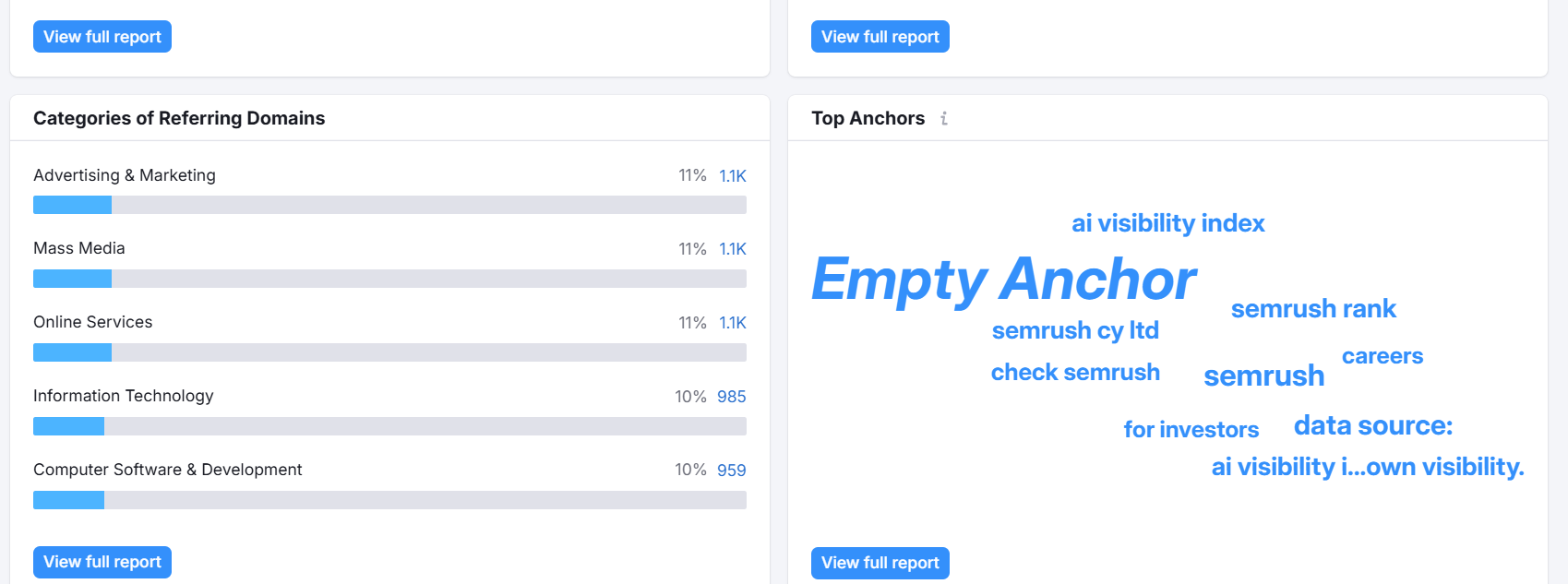
Monitor external anchor profiles for manipulative signals, such as a sudden spike in exact match anchors from thin or irrelevant domains. If patterns look artificial, consider outreach to correct anchors or, in severe cases, use the disavow tool. Prefer diversity over rigid ratios; let language follow editorial norms.
Guest posts, directories, and sponsorships should prioritize transparent disclosures and appropriate rel attributes. Natural patterns mirror real conversation: entities, synonyms, and context-driven phrases. A steady, varied anchor profile withstands algorithmic scrutiny and feels authentic to users.
How to Audit Your Anchor Text Profile (Step-by-Step with Free Tools)
Gather data from GSC and a crawler
Start with Google Search Console's Links report. Export "Top linking text" to see external anchor themes and the domains using them. For internal anchors, crawl the site with Screaming Frog (free up to limits) to extract links, including source URL, destination, anchor text, location (nav vs. body), rel attributes, and alt for linked images. Alternative crawlers like Sitebulb or web-based tools can complement.
Combine datasets in a Google Sheet. Add columns for anchor text, type classification (branded, partial match, exact match, generic, naked URL anchor, image alt text anchor), placement, language, rel attribute, and notes. This unified view surfaces both macro patterns and page-level details.
Analyze distribution and context
Classify anchors to understand distribution across types. Healthy profiles show variety: branded anchors, partial match anchors, and related anchors. Check placement—navigation, breadcrumbs, footers, and in-body links—and weigh contextual strength. In-body descriptive anchor text generally carries more topical value than generic nav labels.
Create a page-level anchor map. Identify orphan pages receiving few internal links, spokes over-reliant on exact match anchors, and vague CTA anchors lacking context. Look for clusters where multiple links point to the same URL with repetitive phrasing; diversify with synonyms and entities. Assess multilingual consistency and ensure page-title anchor usage aligns with real content.
Fixes and ongoing monitoring
Prioritize fixes that deliver clarity and risk reduction: - Rewrite internal anchors to be descriptive and concise. - Adjust alt text for linked images to reflect destination intent. - Add appropriate rel attributes (nofollow, sponsored, ugc). - Request anchor edits from partners when anchors are misleading.
Use a tracking template: source URL, anchor text, destination, type, placement, rel, language, notes, and date changed. Re-audit quarterly, especially after site redesigns or navigation updates. Monitor engagement metrics—click-through rates on key anchors, scroll depth near link clusters—and watch Search Console for shifts in "Top linking text." Progress is iterative; small improvements compound across a site's architecture.
Conclusion
Anchor text defines link's purpose for both users and search engines. Clarity and context drive trust and relevance. Prioritize accessibility and natural variety, then audit regularly to prevent over-optimization and strengthen internal architecture.
Download the free Anchor Text Audit Kit and Internal Linking Anchor Map to optimize your site's anchors today. For teams still clarifying what anchor text means in SEO, these templates turn theory into repeatable practice.
FAQ
What is anchor text in SEO?
Anchor text is the clickable text of a link. It conveys the destination's topic to users and search engines, and the surrounding context helps interpret the meaning. Understanding what is anchor text in SEO is starts with writing clear, descriptive link text that matches the target page.
Does anchor text affect Google rankings?
Yes. Anchors help Google understand relevance and distribute link equity, especially through internal links. However, manipulative patterns—like large-scale exact match anchors from low-quality sites—can trigger spam algorithms and hurt performance.
How long should anchor text be?
Keep anchors concise—typically 2–6 words—and descriptive. Prioritize clarity over exact length. The link purpose should be obvious from the text or nearby context.
Is exact-match anchor text safe?
Use it sparingly and naturally. Diversify with branded and partial match anchors. Avoid large-scale exact match patterns, especially from external links, to reduce risk.
How does image alt text work as anchor text?
When an image is linked, its alt text acts as the anchor. Write alt that describes the link's destination or purpose. Avoid keyword stuffing; focus on clear intent and accessibility.